 ExtLab
 ExtLab Sessions
Save your tabs, close them, and get them back
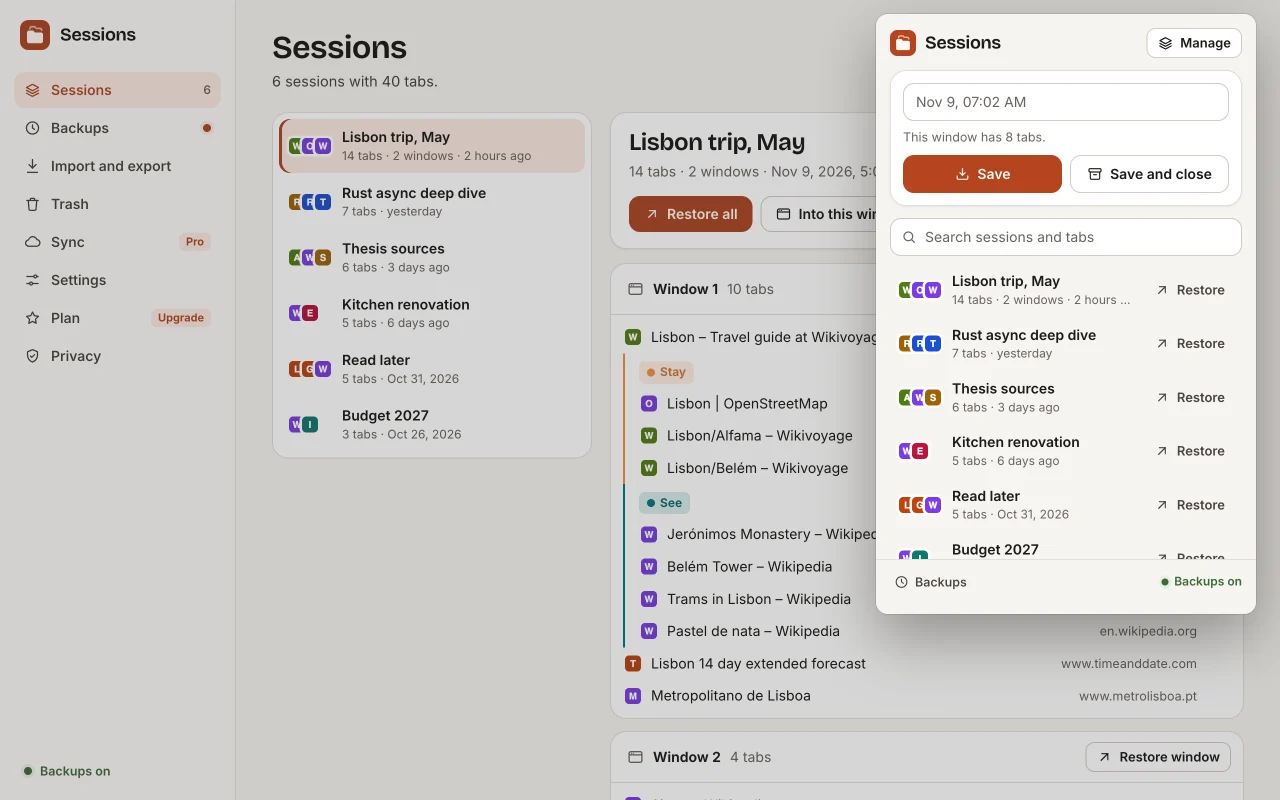
A session manager for Chrome. Save one window or all of them as a named session, close the tabs to free memory, and restore them with one click. While you browse, automatic backups on your computer keep a copy of every window, so a crash or a window closed by mistake can be undone.
- Free to use
- No account
- Tabs stay on your computer
How it works
- 1
Save a window
Click the icon and press Save, or Save and close to free memory. Pinned tabs and tab groups are kept.
- 2
Restore it later
Bring back the whole session, one window or one tab. Tabs load only when you open them.
- 3
Undo a crash
Backups run by themselves. When tabs are missing after a restart, the icon offers them back.
A closer look
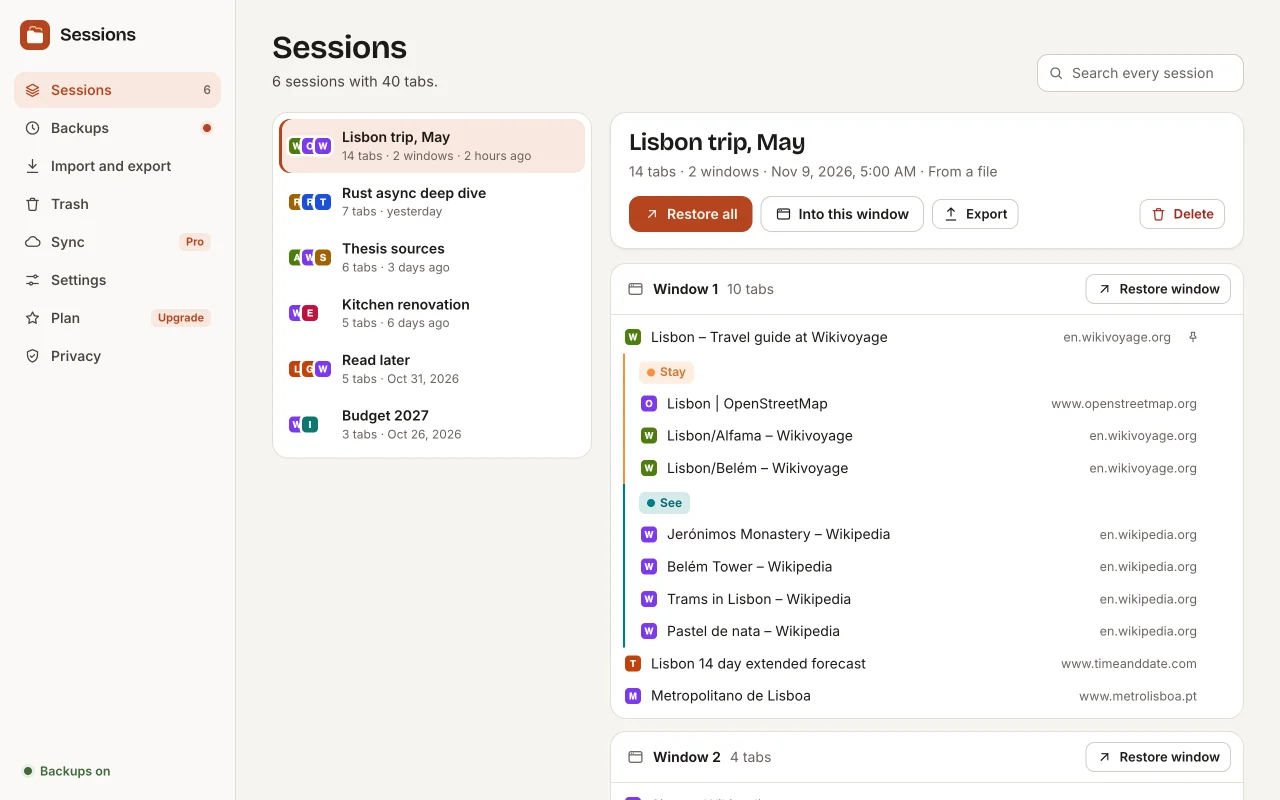
Browse, rename and restore sessions, window by window. 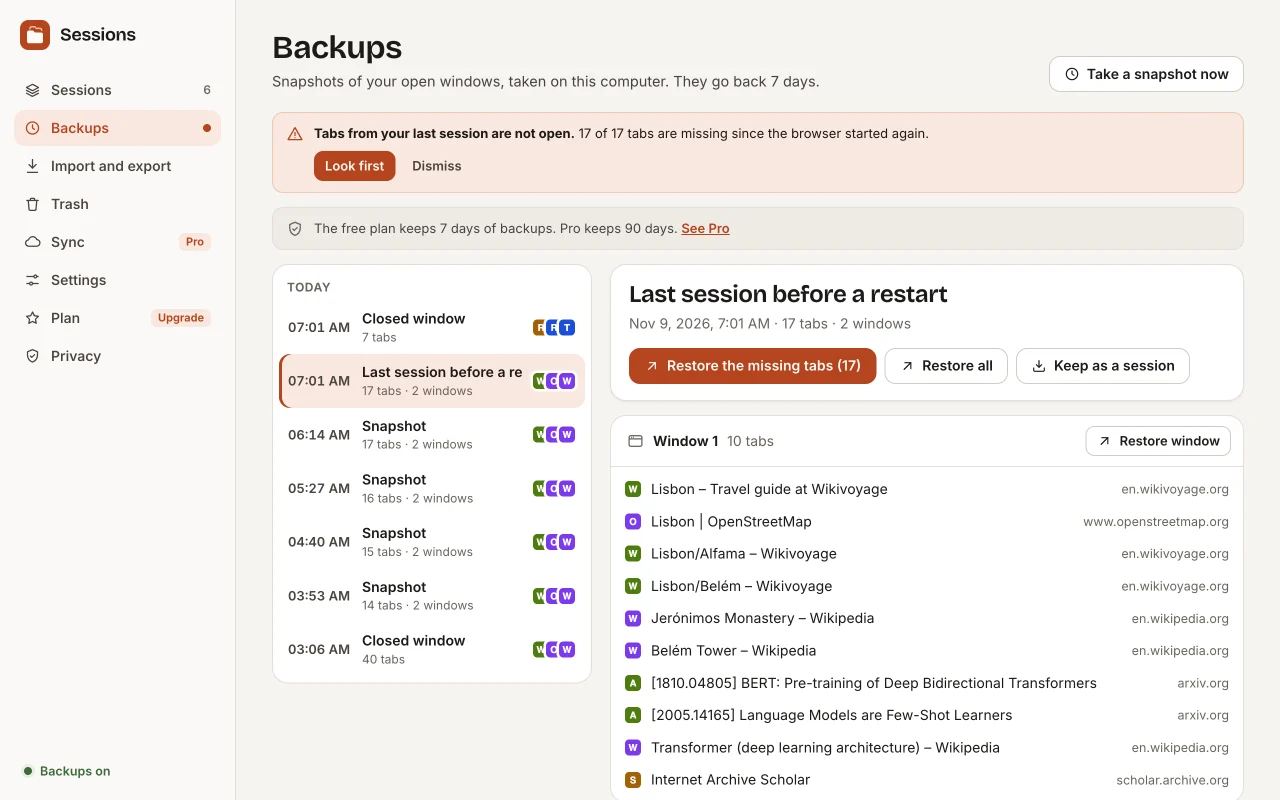
Automatic backups let you go back to any recent moment. 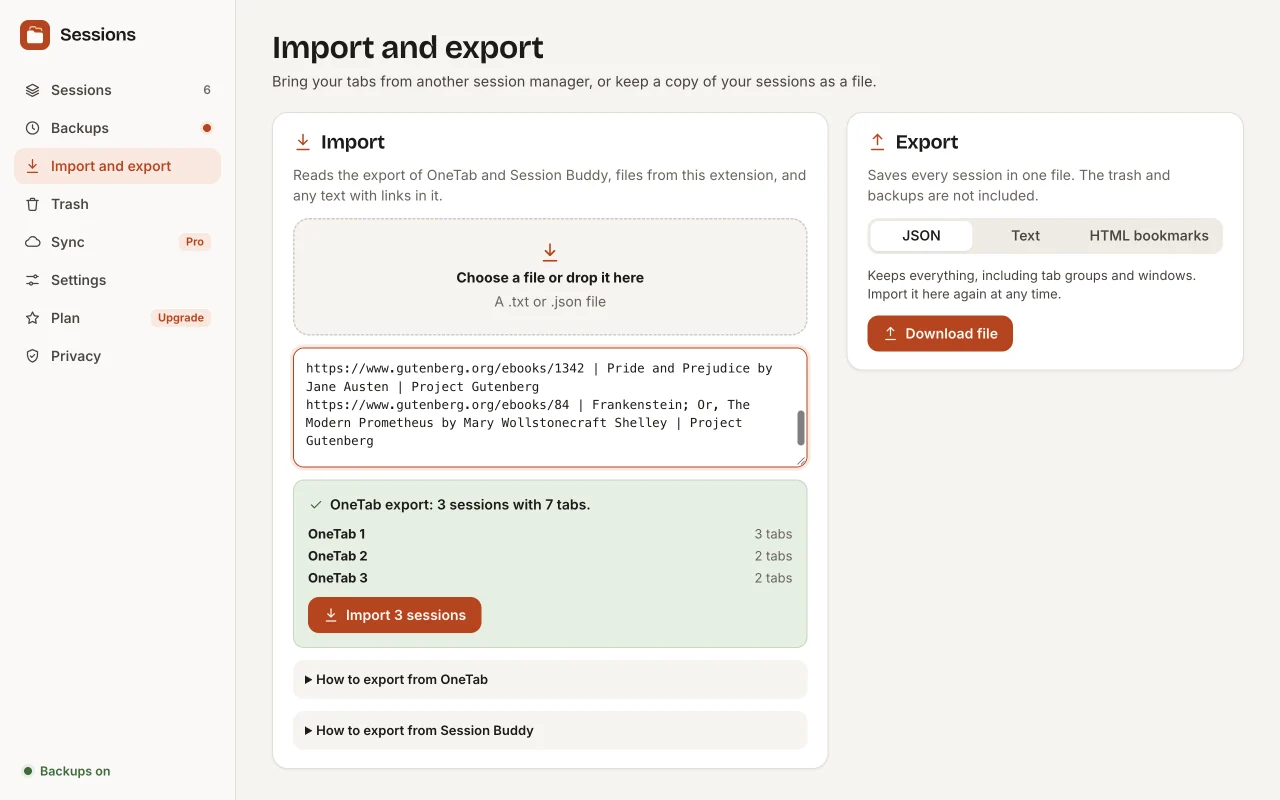
Bring your tabs from OneTab or Session Buddy.
Free and Pro
The free version does the core job, with no time limit. Pro adds the rest.
| Feature | Free | Pro |
|---|---|---|
| Save one window or all windows as a named session | Included | Included |
| Save and close in one click to free memory, and keep pinned tabs open | Included | Included |
| Restore a whole session, one window or one tab | Included | Included |
| Restore tabs unloaded, so 100 tabs do not load at once | Included | Included |
| Automatic backups every few minutes and when a window closes, with 7 days of history | Included | Included |
| An offer to bring your tabs back after a crash or a restart | Included | Included |
| Pinned tabs, tab groups and window size and place are kept | Included | Included |
| Search every saved session by title and URL | Included | Included |
| Find and close duplicate tabs | Included | Included |
| Import from OneTab and Session Buddy, export to JSON, text and HTML bookmarks | Included | Included |
| A trash that keeps deleted sessions for 30 days | Included | Included |
| Keyboard shortcuts to save and restore | Included | Included |
| Sync of saved sessions between computers, end-to-end encrypted | Not included | Included |
| 90 days of automatic backup history | Not included | Included |
Pricing
Free
$0
The core features, with no account. No time limit.
- Save one window or all windows as a named session
- Save and close in one click to free memory, and keep pinned tabs open
- Restore a whole session, one window or one tab
- Restore tabs unloaded, so 100 tabs do not load at once
Good to know
- Chrome deletes the data of an extension when you remove it. Export your sessions first if you want to keep them.
- Backups stay on the computer that made them. Pro sync covers saved sessions only.
- An unloaded tab shows its address until you open it, because Chrome can only unload a tab after it starts to load.
- Chrome does not let extensions open some pages, such as file links when file access is off. Restore says how many tabs could not open.
- OneTab exports no group names, and Session Buddy exports no tab group names or colours, so an import cannot bring them.
- It works in Chrome on a computer. It does not cover phones.
Alternatives, honestly
Many session managers stopped working when Chrome turned off Manifest V2 extensions, among them TabCloud, CTabs, Tab Save, Cluster and Simple Window Saver. These are the well-known ones that still run. Check their store pages for current numbers.
- OneTab. Saves a window to a list in one click. Its export is a list of links without group names. This extension imports that list.
- Session Buddy. A session manager with collections and a history of past sessions. This extension imports its JSON export, old and new.
- Tab Session Manager. Open source, with many options and its own sync through cloud storage.
Choose ExtLab Sessions for automatic backups that you can see and restore, imports from OneTab and Session Buddy, and sync that encrypts your sessions before they leave your computer.
FAQ
Does it send my tabs anywhere?
No. Sessions and backups stay in your browser. Only Pro sync sends them, and only after you turn it on and choose a passphrase. They are encrypted on your computer before they leave it, so our server cannot read them.
What happens when Chrome crashes?
The extension keeps the state of your windows up to date as you browse. When Chrome starts again and tabs from the last session are missing, the icon shows a badge and the popup offers to bring them back. Older states are in the backup history.
How do I move from OneTab?
In OneTab, open "Export / Import URLs" and copy the text, or save it to a file. Then use Import in this extension. Each OneTab group becomes a session. OneTab does not export group names, so the groups get numbers.
How do I move from Session Buddy?
In Session Buddy, export your collections or sessions as JSON. Then use Import in this extension. Old and new Session Buddy files both work, with window names and pinned tabs. Session Buddy does not export tab group names or colours.
Why does Chrome say it can read my browsing history?
That is how Chrome describes the tabs permission, which lets the extension read the titles and URLs of open tabs. It needs that to save them. It does not read your history list, and it does not send your tabs anywhere unless you turn on Pro sync.
Is my data safe if I uninstall the extension?
No. Chrome deletes an extension's data when you remove it. Export your sessions first, or keep a copy with Pro sync on another computer.
Does it work offline?
Yes. ExtLab Sessions keeps your data in your browser. A paid license also keeps working for 14 days without a connection.
How does the license work?
Buy on Gumroad and you get a license key by email. Paste it into the extension's options page. One key covers 3 browsers.
What happens if I cancel?
Pro stays on until the end of the year you paid for. After that, sync stops and the backup history goes back to 7 days. Your saved sessions stay, with every free feature.
Do you see the sites I visit?
No. Your tabs stay in your browser. With Pro sync on, each session is encrypted on your computer before it is sent, so we cannot read it. The privacy page lists everything we do collect.
Save your tabs, close them, and get them back
Free to use · No account · Tabs stay on your computer