 ExtLab
 ExtLab Rotate
Rotate dashboard tabs on any screen
Open your dashboards as tabs, set the rhythm and press Start. Rotate cycles through them all day on a wall screen, a kiosk or a TV, and Pro reloads stale pages for you.
- Free for up to 3 tabs
- No account
- No site access by default
How it works
- 1
Open your dashboards
Put them in one Chrome window, one per tab.
- 2
Set the interval
Pick the seconds on each tab. Five seconds is the minimum.
- 3
Press Start
The window rotates by itself, pauses when someone uses the computer and resumes after.
A closer look
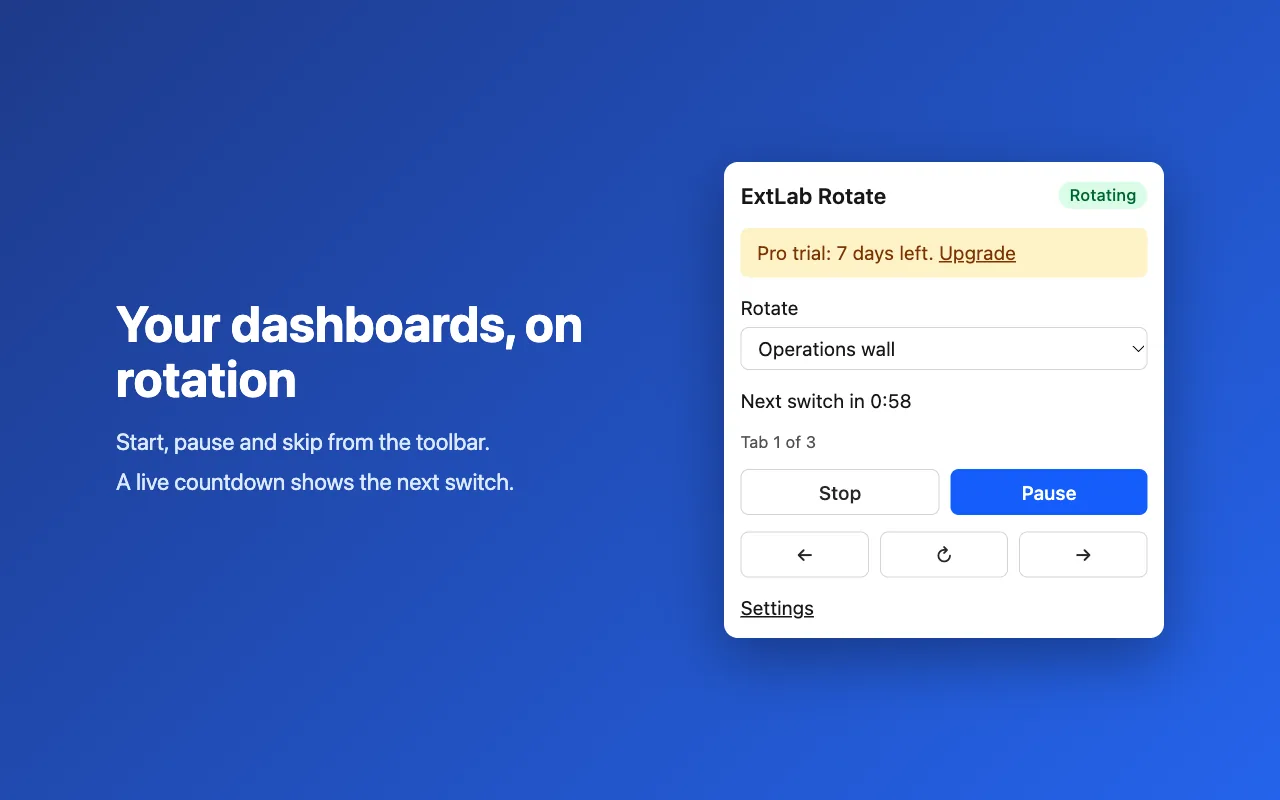
Start, pause and skip from the toolbar. 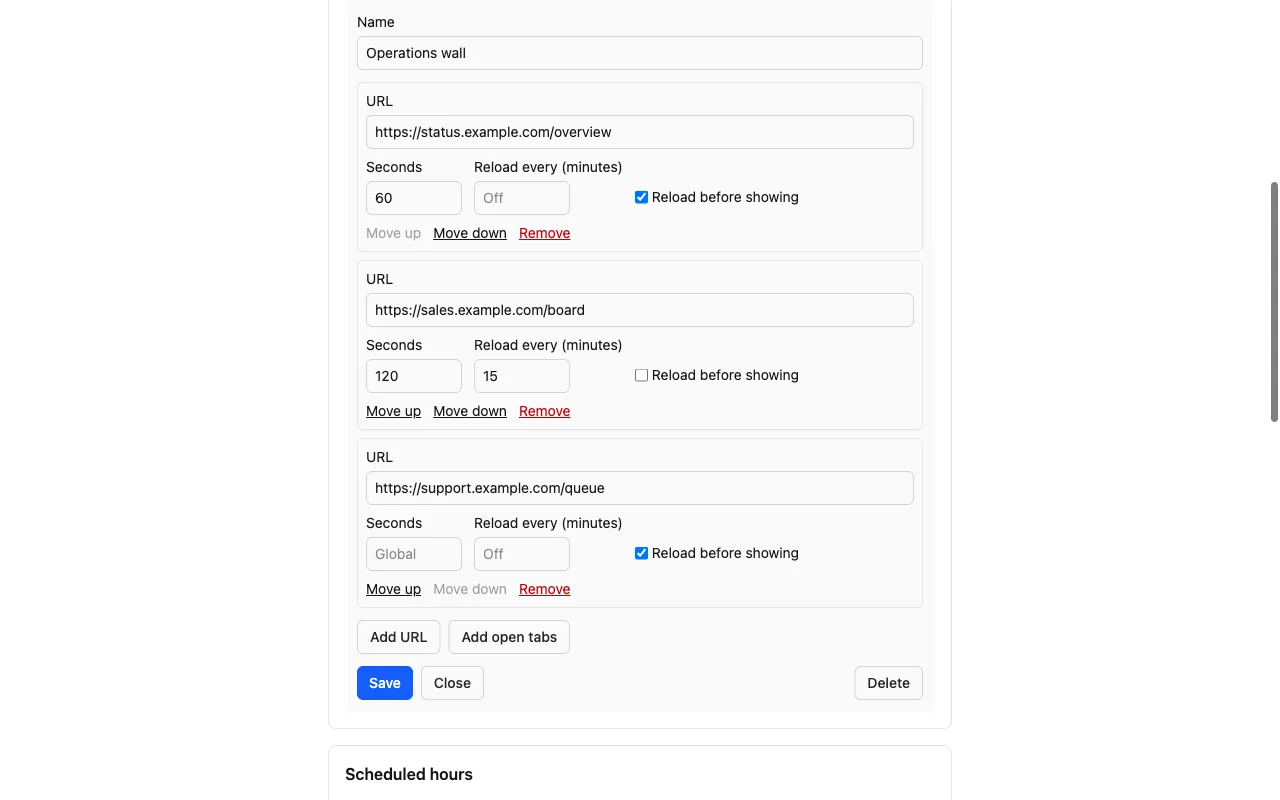
Pro: a playlist gives each URL its own timing. 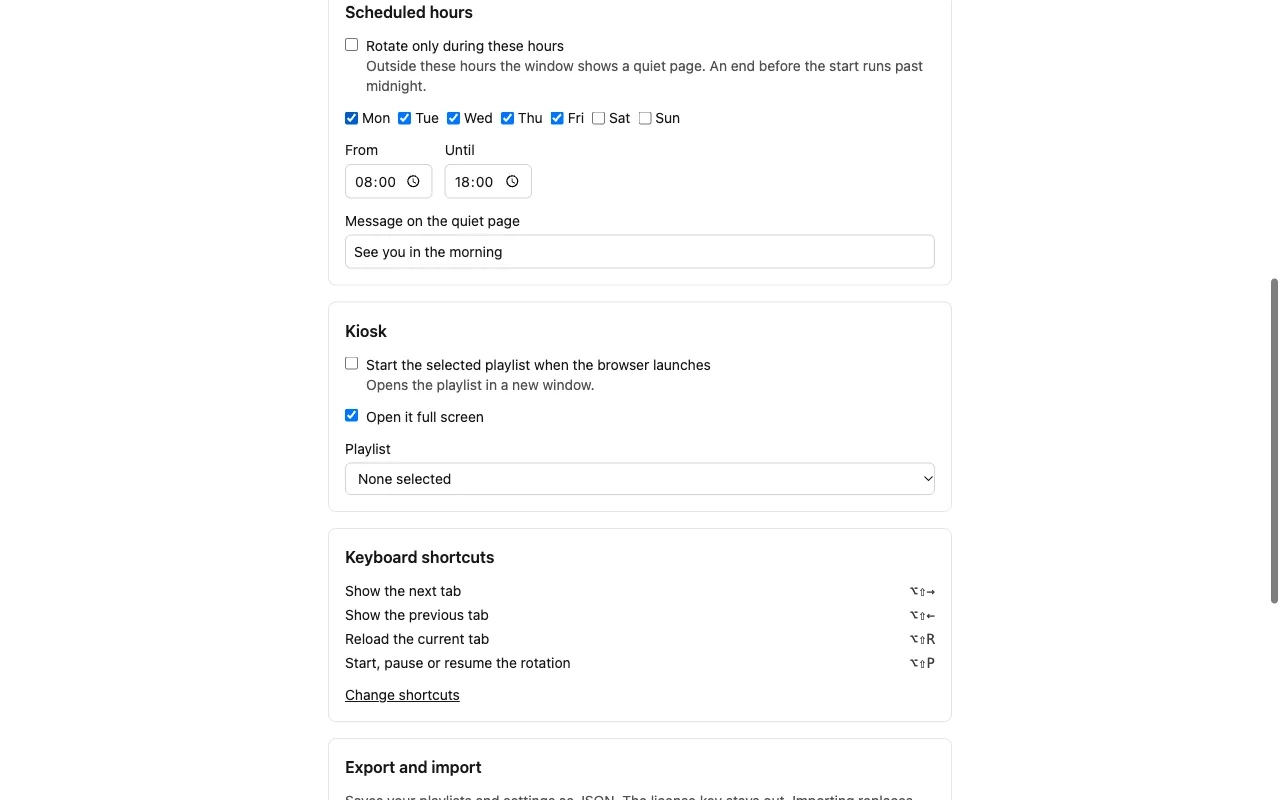
Pro: set the hours and the kiosk start. 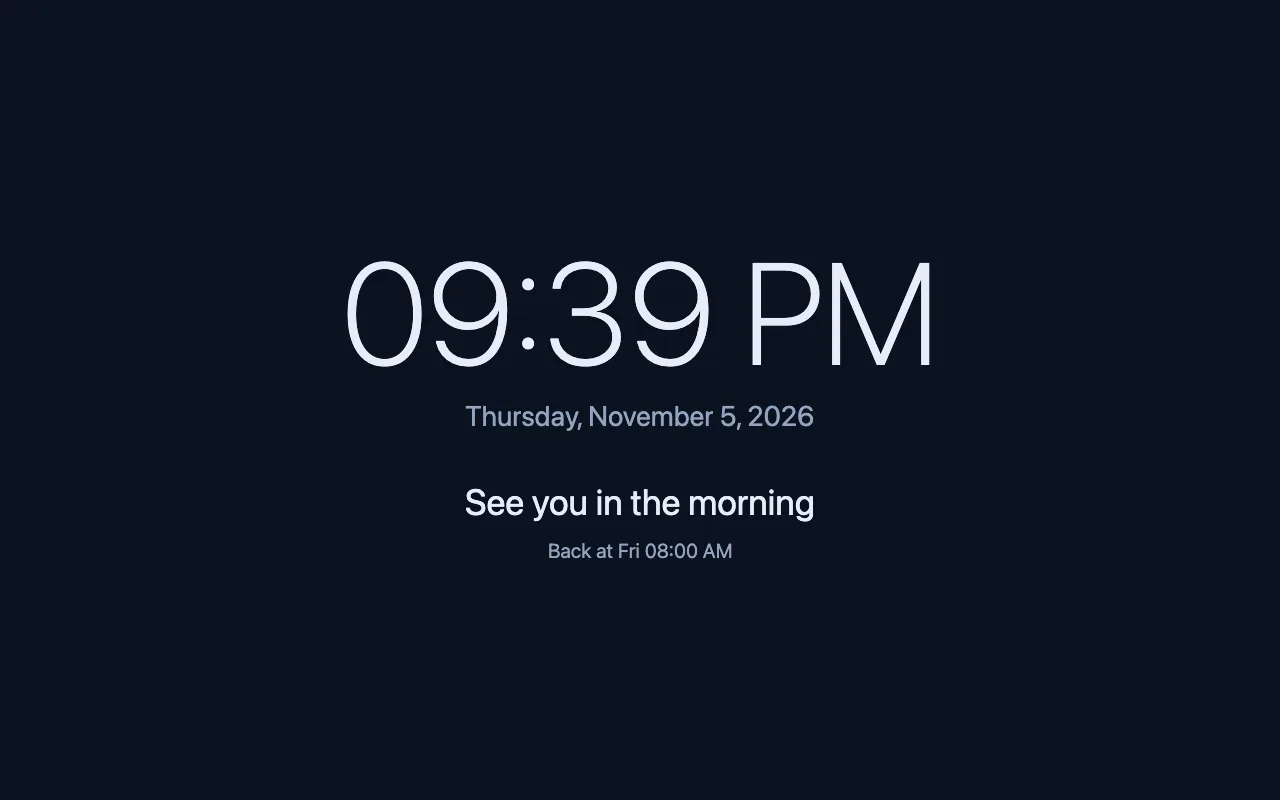
Pro: a quiet page with a clock outside your hours.
Free and Pro
The free version does the core job, with no time limit. Pro adds the rest.
| Feature | Free | Pro |
|---|---|---|
| Rotate tabs from every 5 seconds, free for up to 3 tabs | Included | Included |
| Pause while someone uses the computer, and resume on its own | Included | Included |
| Keyboard shortcuts for pause, skip, back and reload | Included | Included |
| Keep the screen awake during a rotation, and let it sleep in quiet hours | Included | Included |
| Saved playlists with per-tab intervals and auto-reload | Not included | Included |
| Auto-scroll tall dashboards from top to bottom | Not included | Included |
| Scheduled hours with a quiet page and clock | Not included | Included |
| Full-screen auto-start when Chrome launches | Not included | Included |
| Chrome Enterprise managed storage for many screens | Not included | Included |
Pricing
Free
$0
The core features, with no account. No time limit.
- Rotate tabs from every 5 seconds, free for up to 3 tabs
- Pause while someone uses the computer, and resume on its own
- Keyboard shortcuts for pause, skip, back and reload
- Keep the screen awake during a rotation, and let it sleep in quiet hours
Pro
from $29/yr
- Solo – up to 3 screens$29/yr
- Team – up to 15 screens$79/yr
- Site license – unlimited screens$199/yr
Billed yearly on Gumroad. A 7-day free trial starts from the extension.
Good to know
- It rotates one window at a time, the one where you pressed Start.
- Intervals under 30 seconds need Chrome 153 or newer.
- Pause on interaction responds to input on the whole computer. You can turn it off.
- For a locked-down screen, use it together with Chrome kiosk mode.
Looking for Revolver Tabs or Revolver - Tabs? Chrome turned off Manifest V2 extensions in 2025. ExtLab Rotate covers the same core job on Manifest V3.
FAQ
How short can the interval be?
Five seconds. Under 30 seconds needs Chrome 153 or newer. Older versions run such an interval every 30 seconds.
Do dashboards that need a login stay logged in?
Rotate only switches and reloads tabs, the same as clicking them yourself. Your sessions follow the rules of each site.
Can I give each tab its own time?
Yes, with Pro. Each playlist item has its own interval and reload settings. The free version uses one interval for all tabs.
Can IT set this up on many screens?
Yes, with Pro. A Chrome Enterprise policy can push the license key, playlists, schedule and kiosk settings.
Does it work offline?
Yes. ExtLab Rotate keeps your data in your browser. A paid license also keeps working for 14 days without a connection.
How does the license work?
Buy on Gumroad and you get a license key by email. Paste it into the extension's options page. Your tier sets how many browsers one key covers.
What happens if I cancel?
Pro stays on until the end of the year you paid for. After that the extension falls back to the free tier, and your data stays where it is.
Do you see the sites I visit?
No. ExtLab never collects URLs or page content. The privacy page lists everything we do collect.
Rotate dashboard tabs on any screen
Free for up to 3 tabs · No account · No site access by default