 ExtLab
 ExtLab Refresh
Auto refresh any tab on a timer
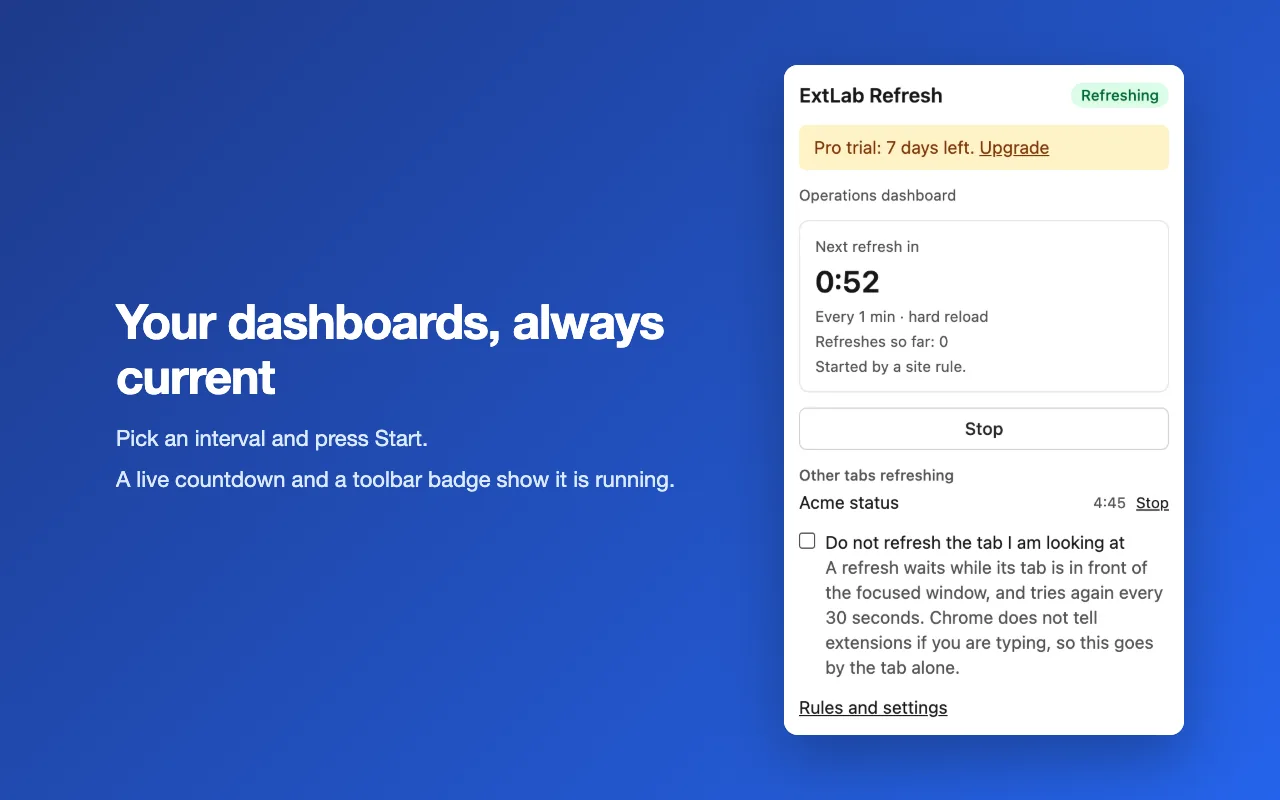
Open a tab, pick an interval and press Start. The page reloads by itself, with a live countdown and a badge on the toolbar icon. Pro adds site rules, session keep-alive and page alerts.
- Free for one tab
- No account
- No site access by default
How it works
- 1
Open the page
Use the tab you want to keep current: a dashboard, a status page, a queue.
- 2
Pick an interval
Choose a preset from 10 seconds to 1 hour, or set your own from 5 seconds to 24 hours.
- 3
Press Start
The popup counts down to the next refresh. Press Stop when you are done.
A closer look
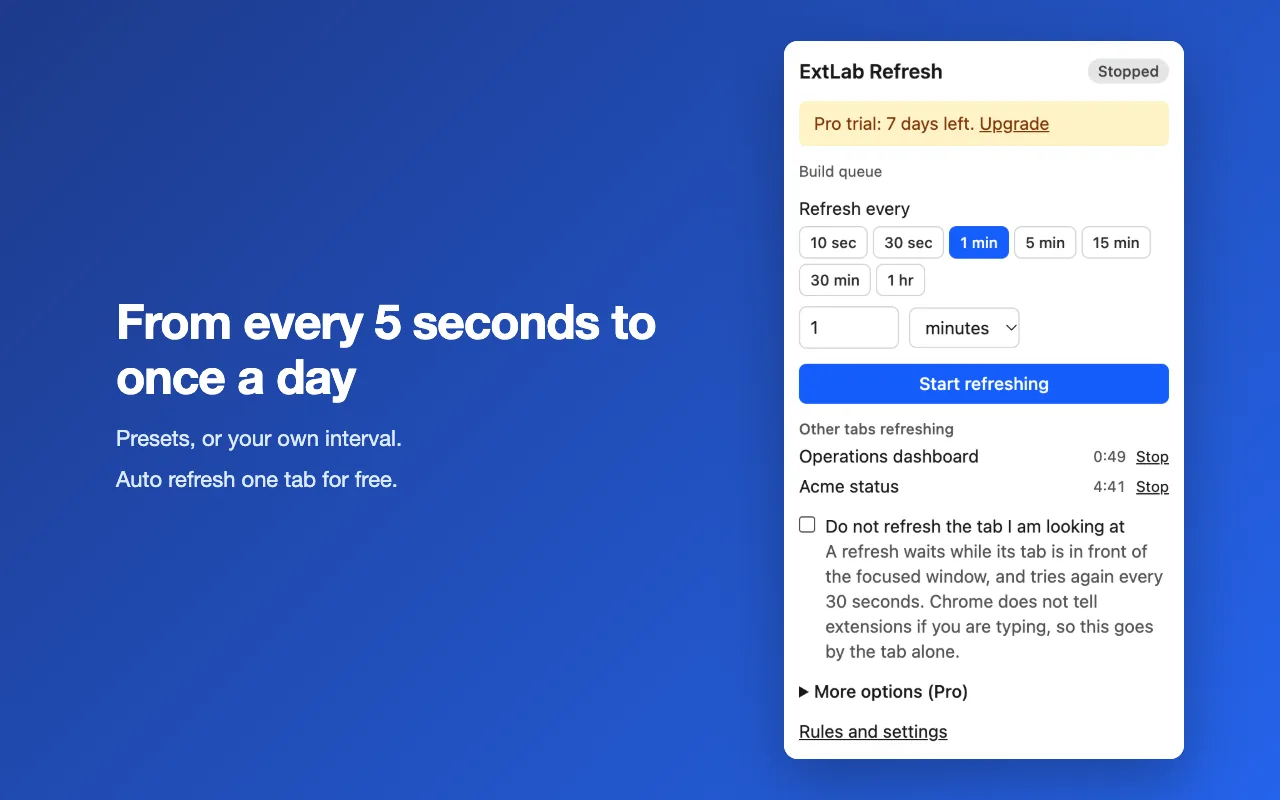
Pick a preset or set your own interval. 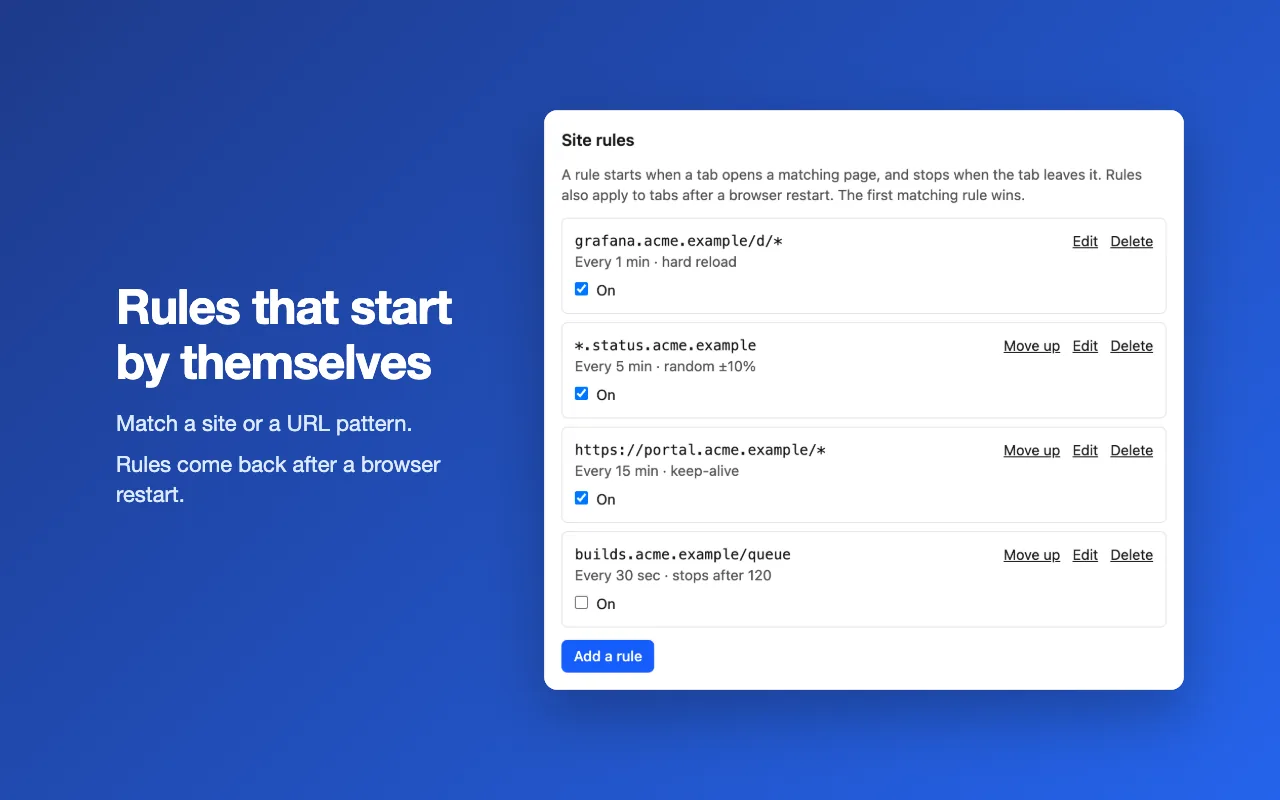
Pro: site rules start by themselves. 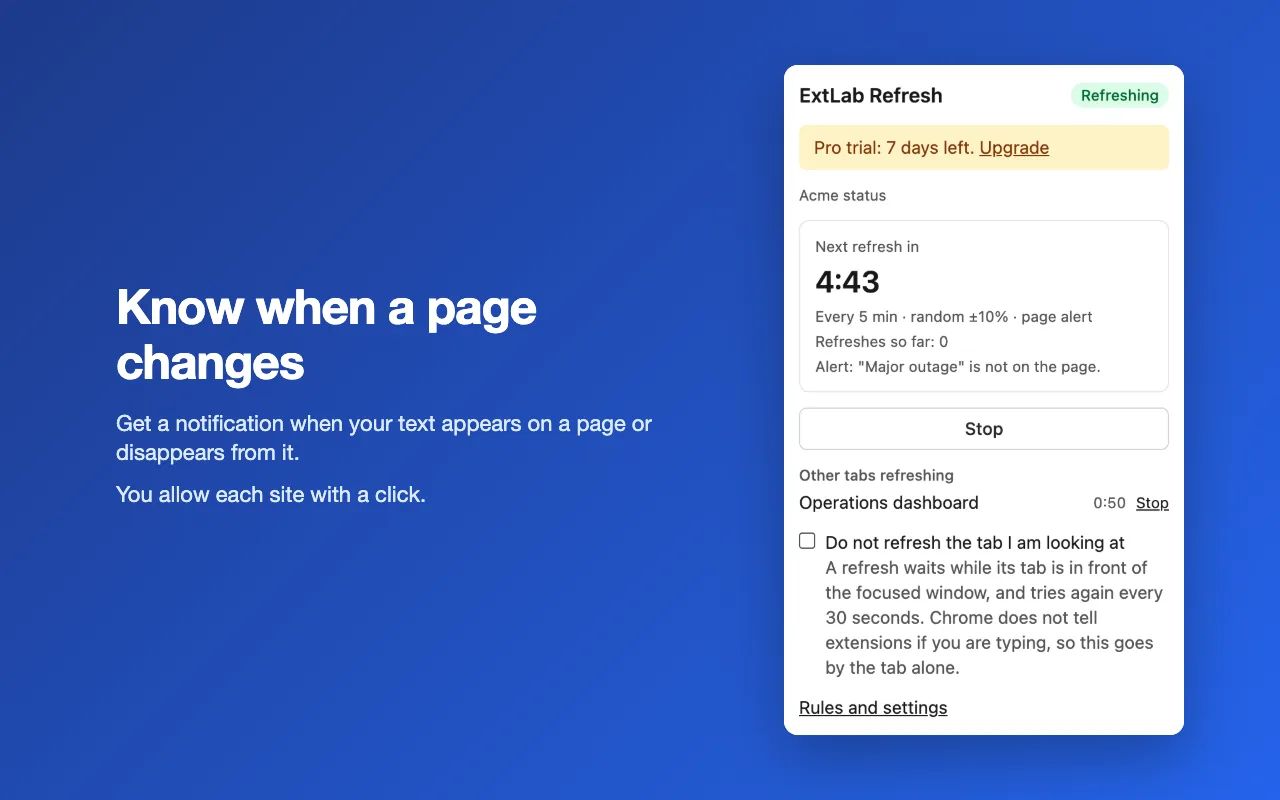
Pro: get an alert when a text changes on a page.
Free and Pro
The free version does the core job, with no time limit. Pro adds the rest.
| Feature | Free | Pro |
|---|---|---|
| Auto refresh one tab from every 5 seconds | Included | Included |
| Presets, a custom interval, a live countdown and a toolbar badge | Included | Included |
| An option to hold the refresh while the tab is in front of you | Included | Included |
| Any number of tabs, each on its own timer | Not included | Included |
| Site rules that start by themselves and survive a browser restart | Not included | Included |
| Hard reload, random timing and stop after N refreshes | Not included | Included |
| Session keep-alive: a slow reload on a long timer | Not included | Included |
| An alert when a text appears on a page or disappears from it | Not included | Included |
Pricing
Free
$0
The core features, with no account. No time limit.
- Auto refresh one tab from every 5 seconds
- Presets, a custom interval, a live countdown and a toolbar badge
- An option to hold the refresh while the tab is in front of you
Pro
$12/yr
Every feature, on 3 browsers with one key.
Billed yearly on Gumroad. A 7-day free trial starts from the extension.
Good to know
- The shortest interval is 5 seconds. Under 30 seconds needs Chrome 153 or newer.
- A reload can discard text you typed and did not save.
- A timer started by hand ends when the browser closes. Site rules start again by themselves.
- Keep-alive helps only where a page load counts as activity. A fixed session limit still ends the session.
Looking for Tab auto reloader? Chrome turned off Manifest V2 extensions in 2025. ExtLab Refresh covers the same core job on Manifest V3.
FAQ
How short can the interval be?
Five seconds. Under 30 seconds needs Chrome 153 or newer. Older versions refresh such a tab every 30 seconds.
Can it pause while I type in the page?
Not exactly. Knowing about typing would need access to every page, so the extension asks for none. The option "Do not refresh the tab I am looking at" holds the refresh while the tab is in front of the focused Chrome window, whatever you are doing there.
Will keep-alive stop every site from signing me out?
No. It helps where a page load counts as activity. A site with a fixed session limit still ends the session, and a reload can discard text you typed but did not save.
Does it read the pages I refresh?
No. Refreshing needs no site access. Only a page alert reads a page, on a site you allowed with a click, and it checks for your text on your device. Page text and URLs are never sent anywhere.
Do my timers survive a browser restart?
Site rules do, and they start again on the matching tabs. A timer started by hand ends with the browser session, because Chrome gives every tab a new id.
Does it work offline?
Yes. ExtLab Refresh keeps your data in your browser. A paid license also keeps working for 14 days without a connection.
How does the license work?
Buy on Gumroad and you get a license key by email. Paste it into the extension's options page. One key covers 3 browsers.
What happens if I cancel?
Pro stays on until the end of the year you paid for. After that the extension falls back to the free tier, and your data stays where it is.
Do you see the sites I visit?
No. ExtLab never collects URLs or page content. The privacy page lists everything we do collect.
Auto refresh any tab on a timer
Free for one tab · No account · No site access by default