 ExtLab
 ExtLab Dual Subtitles
Two subtitle lines, and every word within reach
The big line is the language you are learning, and the small line is the one you know. Watch a video in either language. Click a word to learn what it means in that sentence, repeat a line with one key, and keep what you learn.
- Free on YouTube
- No account
- No video or audio is recorded
How it works
- 1
Pick your languages
The one you are learning, and the one you know. W swaps them at any time.
- 2
Play a video
Two lines appear over the player, in theater mode and in full screen too.
- 3
Click what you do not know
See the meaning, save the word with its sentence, and export your list to Anki.
A closer look
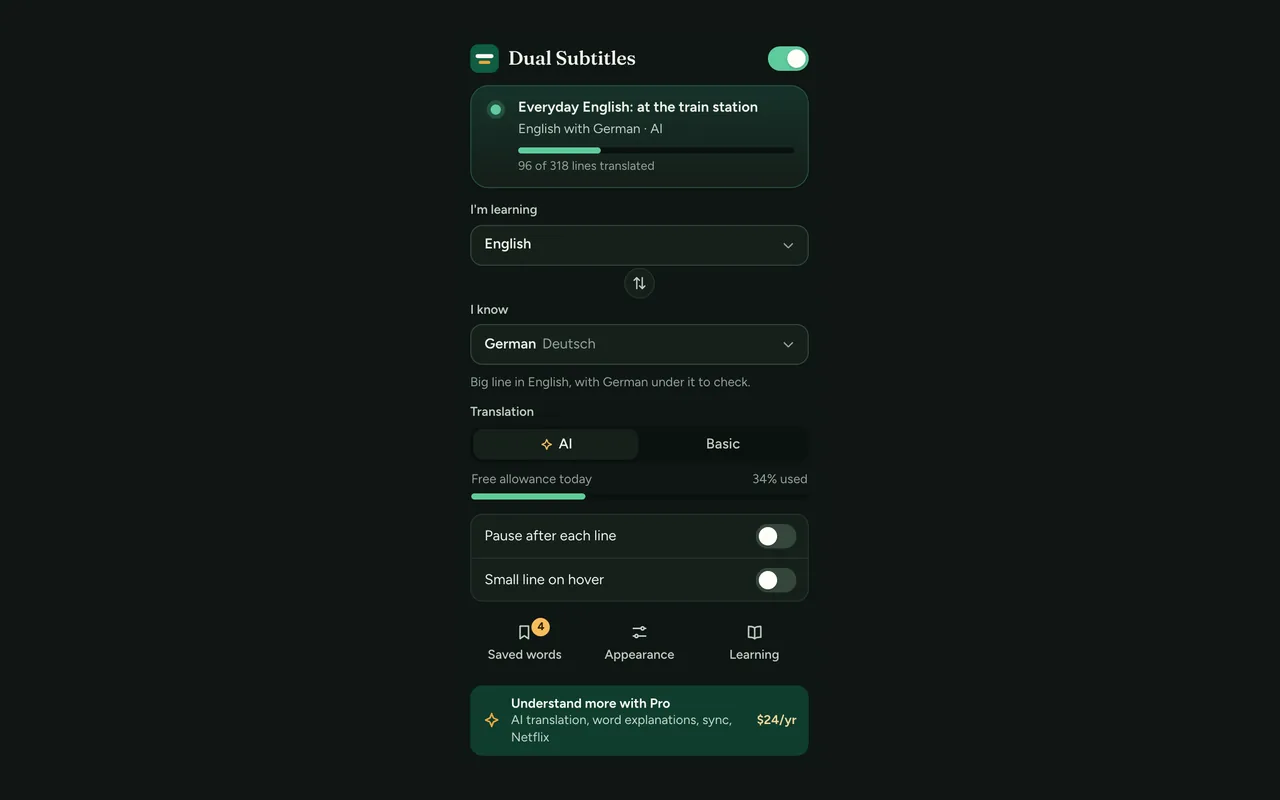
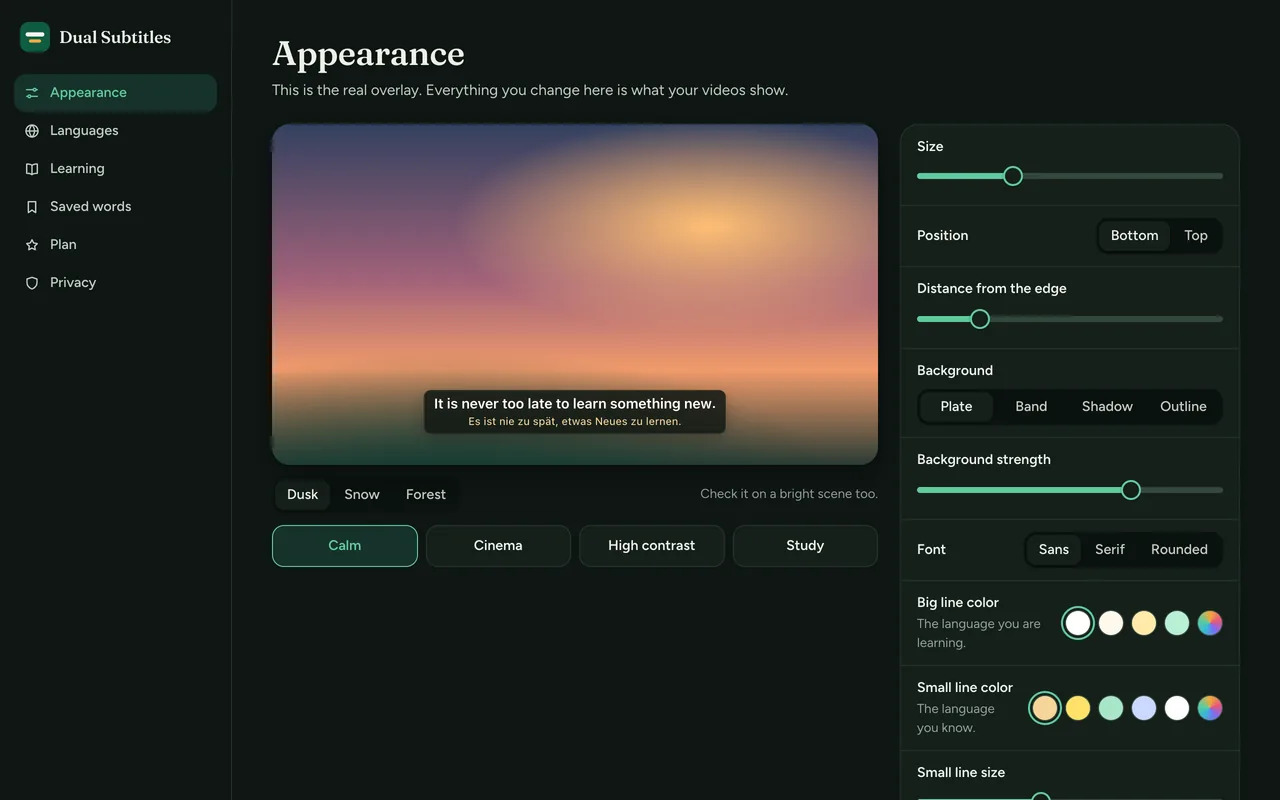
See what is on, and how each line is translated. The numbers are sample data. 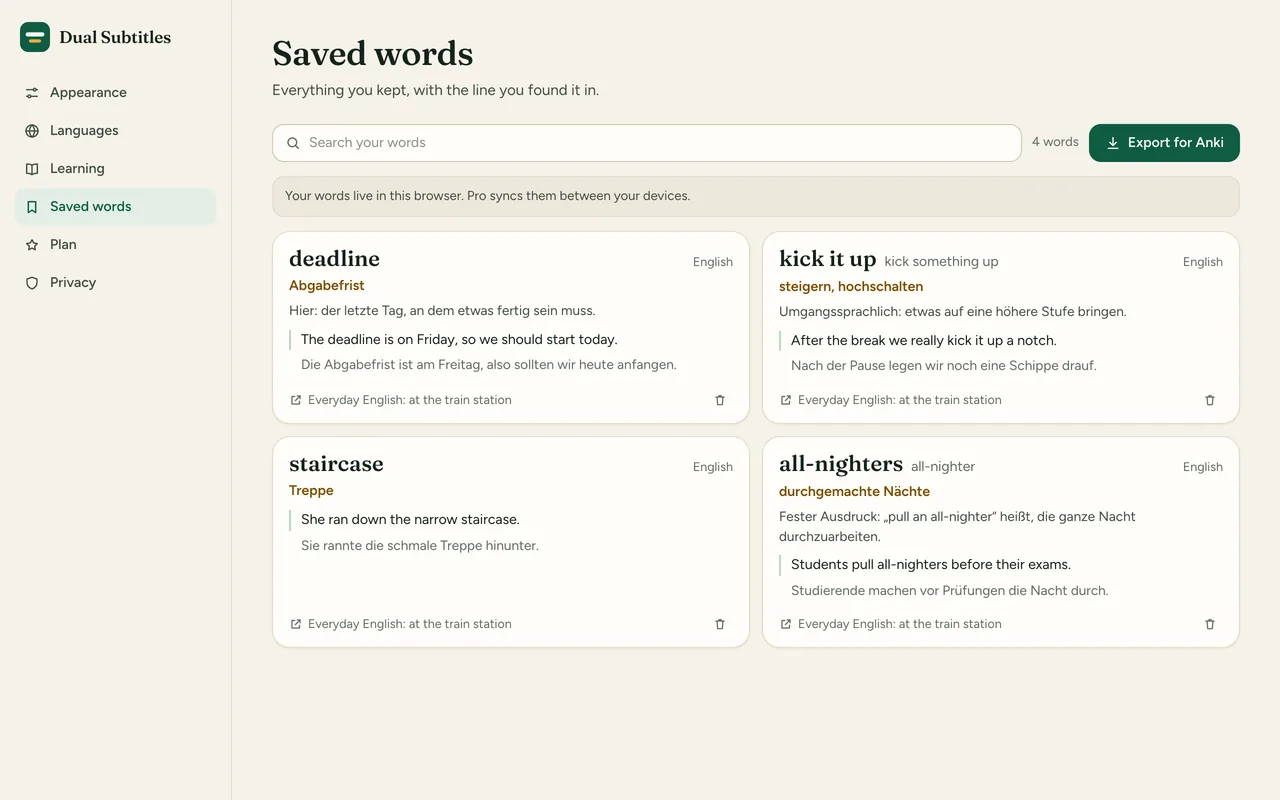
Keep words with their sentence, and export them to Anki. These are sample words. 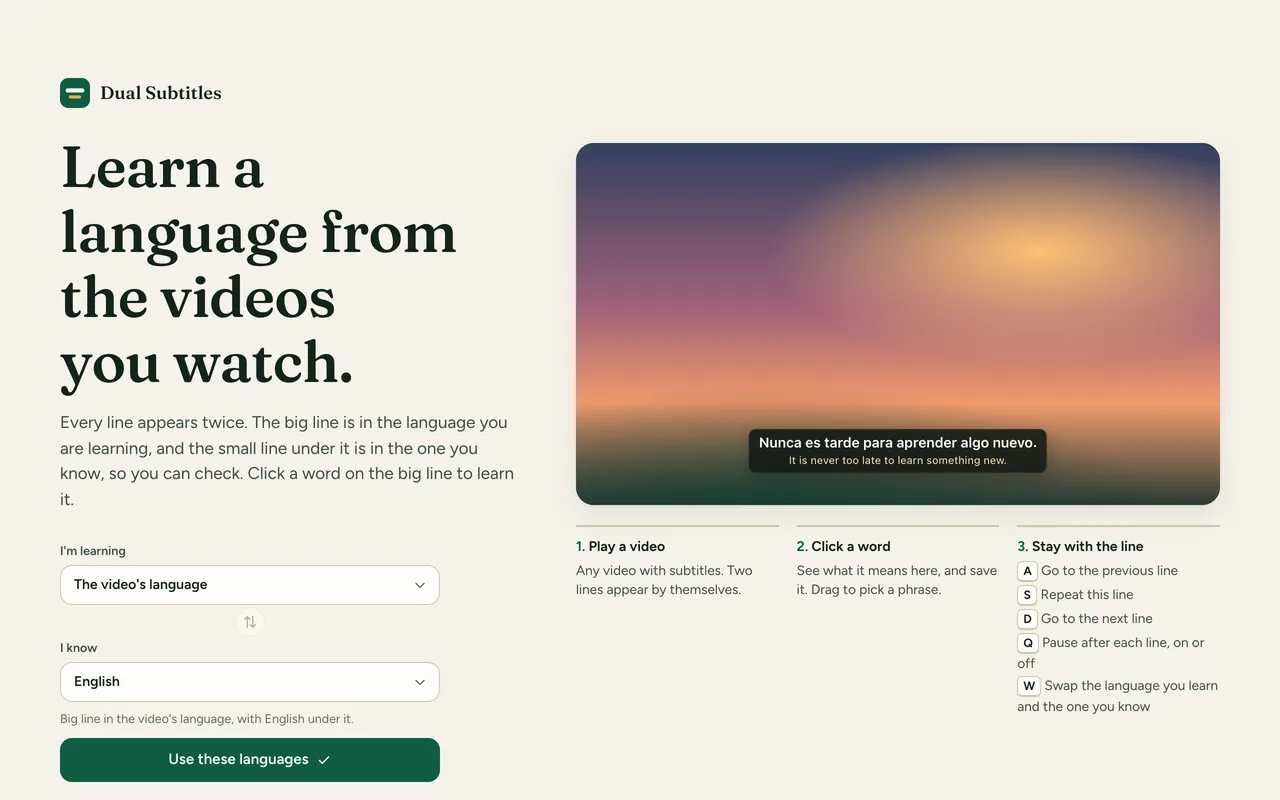
Pick the language you read best, and you are ready.
Free and Pro
The free version does the core job, with no time limit. Pro adds the rest.
| Feature | Free | Pro |
|---|---|---|
| Two lines at once on YouTube | Included | Included |
| Translation from the site's own subtitles, then Chrome's on-device translator | Included | Included |
| Click a word for its meaning, or drag to pick a phrase | Included | Included |
| Keys to repeat a line and jump between lines | Included | Included |
| Pause after each line, and hide the translation until you point at it | Included | Included |
| Saved words with their sentence, and CSV export for Anki | Included | Included |
| Size, position, background and colors, with a live preview | Included | Included |
| A small AI allowance for each install | Included | Included |
| AI translation that reads lines in context | Not included | Included |
| Word explanations for the sentence you are in | Not included | Included |
| Saved words synced between your devices | Not included | Included |
| Dual subtitles on Netflix | Not included | Included |
Pricing
Free
$0
The core features, with no account. No time limit.
- Two lines at once on YouTube
- Translation from the site's own subtitles, then Chrome's on-device translator
- Click a word for its meaning, or drag to pick a phrase
- Keys to repeat a line and jump between lines
Good to know
- A video needs subtitles or automatic captions. Without them there is nothing to read.
- Free translation quality depends on the site and on Chrome. Machine translation of single lines can miss the context.
- AI has daily and monthly limits on every plan, and it can make mistakes.
- Netflix shows one line at a time, so next-line does not work there, and repeat works only on lines already seen.
- Live streams are not supported. It works on a computer in Chrome, not on phones or smart TVs.
Alternatives, honestly
Good tools already exist, and this one is new. These numbers are from the Chrome Web Store on November 7, 2026, and they change.
- Language Reactor. 2 million users, rated 3.8. It does more than this extension, for example across more sites. Its Pro plan is reported at about $5 a month or $28 a year.
- Trancy. A full language learning tool. Its paid plan is reported at about $5 a month.
- YouTube Dual Subtitles. 200,000 users, rated 2.3, last updated in 2024.
- Netflix Dual subtitle. 20,000 users, rated 3.1.
- Dual Subtitles & Translator. 20,000 users, rated 4.6, with in-app purchases.
Choose ExtLab Dual Subtitles if you want a calm overlay you can shape, explanations of a word in its sentence, and a plain yearly price. Choose Language Reactor if you need more sites and a larger feature set today.
FAQ
Which videos does it work on?
YouTube videos that have subtitles, including automatic ones. A video with no subtitles has nothing to read, and the extension says so. Live streams are not supported yet.
Does it download videos or subtitles?
No. It records no video or audio, it does not touch DRM, and it offers no subtitle file download. It reads the subtitles the video player already loads so that it can show and translate them.
What does the free version translate with?
AI translation, with a small daily allowance. After that it switches by itself to Basic translation: a human track in the right language if there is one, or YouTube's automatic translation, and where those are missing, the on-device translator in Chrome, which needs no server.
How does Netflix work?
Netflix shows one line at a time, so the extension reads the line the player displays and translates it. Turn on subtitles in the Netflix player first. Repeat and back work on lines you have already seen, and next does not work for lines still to come.
Is there a limit on AI?
Yes. AI costs money per use, so each install has a small allowance, Pro has a larger one, and both have a daily and a monthly limit. When a limit is reached, the extension says so and goes on with Basic translation.
What is sent to AI?
With AI translation, which is on by default: the subtitle lines of the video, or the word and line you picked. They go to our API and to Anthropic, which runs the Claude model. Switch to Basic translation in the menu, and nothing goes to us.
Does it work with Anki?
Yes. Export a CSV from the saved words page. Anki 2.1.54 or newer reads the columns and tags by itself.
Does it work offline?
Yes. ExtLab Dual Subtitles keeps your data in your browser. A paid license also keeps working for 14 days without a connection.
How does the license work?
Buy on Gumroad and you get a license key by email. Paste it into the extension's options page. One key covers 3 browsers.
What happens if I cancel?
Pro stays on until the end of the year you paid for. After that the extension falls back to the free tier, and your data stays where it is.
Do you see the sites I visit?
No. ExtLab never collects URLs or page content. The privacy page lists everything we do collect.
Two subtitle lines, and every word within reach
Free on YouTube · No account · No video or audio is recorded